Looks a lot more professional than what I was sending clients before.
- Instant DownloadDelivered the moment you pay
- Demo Video IncludedWalk through every tab
- Lifetime UpdatesEvery future version, free
- 30-Day RefundFull refund if it's not for you
Google Sheets & Excel
Scope and Features Review
DASHBOARD TAB
Costs, bids & variances at a glance
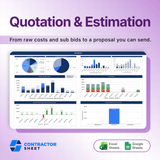
Visual breakdowns of project cost, bid status, and in-house estimate vs. approved bids, so you can sanity-check the whole job at a glance.
SCOPE SUMMARY TAB
List every scope, inclusion & exclusion
List each scope item with its trade, inclusions, exclusions, and notes. Clear terms kill disputes and feed straight into your quote.
LABOR RATES TAB
Price labor with burden built in
Enter each base wage and burden percent; the effective rate and labor cost roll up automatically. No side calculator, no math errors.
MATERIAL CATALOG TAB
A reusable price book for materials
Log materials by scope with quantity, unit price, and supplier. Extended cost auto-calculates and the catalog carries over to your next bid.
EQUIPMENT LOG TAB
Capture rental and mobilization
Track equipment by rate, usage, and setup cost so the true cost lands on the right scope line. Nothing forgotten, nothing eating your margin.
ESTIMATION SHEET TAB
All costs marked up automatically
Each scope's resource cost flows in, then overhead, contingency, profit, and tax layer on top, so you see resource total and grand total side by side.
SUBCONTRACTOR BIDS TAB
Log every sub bid with status & dates
Record each sub's labor, material, and equipment bid with key dates. Color-coded status keeps the whole bid pipeline visible at a glance.
SUBCONTRACTOR COMPARISON TAB
See every sub's number on one row
Each scope task lines up every sub's bid next to your estimate, lowest highlighted. Pick the best price in seconds, no digging through emails.
COMPARISON SUMMARY TAB
Know the variance before you commit
Compare your in-house subtotal against the chosen sub bid and see variance and status per item, so you only sub out work where it pays to.
CLIENT QUOTATION TAB
Build the quote against their budget
Assign the approved contractor or your estimate to each item and see grand total vs. client budget, with variance flagged line by line.
PRINT QUOTATION TAB
A clean proposal, ready to send
A formatted quote pulls it together: header, line-item scope, cost summary, tax, and terms. Print or PDF, hand it over, get it signed.
SETTINGS TAB
Lock rates, markups & vendors once
Set trade divisions, overhead, contingency, profit, tax, and your vendor and resource lists once. Every estimate pulls from these defaults.
What buyers say Reviews
4.6
(13 Reviews)
Bought it on a whim and it has ended up being the thing I use most.
Bit more setup than I was expecting. Worth it in the end I suppose.
Really pleased with this one. Wish I had sorted it out years ago.
Does the job but took me a while to get my own rates in properly.
Solid. No fuss, no faff, does what the listing said it would do.
Does exactly what I wanted. Quoting is no longer the job I put off.
Fine once you understand it. The first hour was a bit of a struggle.
I can turn a quote round the same day now instead of at the weekend.
I am winning more of what I quote for and I think that is down to this.
Good value. I had been quoted four figures for something similar.
I stopped guessing and started knowing. Big difference to my nerves.
Been using it since March and nothing has gone wrong with it yet.