Simple to follow. Even the lads who hate paperwork manage it.
- Instant DownloadDelivered the moment you pay
- Demo Video IncludedWalk through every tab
- Lifetime UpdatesEvery future version, free
- 30-Day RefundFull refund if it's not for you
Google Sheets & Excel
Scope and Features Review
DASHBOARD TAB
See quality across the whole job
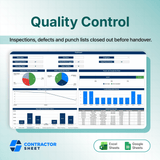
Inspections, defects logged, punch items, overdue tasks, and verified work up top, with charts for pass rates, defect density, and trends.
INSPECTION FORMS TAB
Log every inspection item by item
Record each inspection with its inspector, item, pass-fail status, comments, and next inspection date, with pass rate calculated live.
DEFECT TRACKING TAB
Track every defect through to fixed
Failed items become defects with a location, priority, owner, and resolution status, so nothing slips between inspection and repair.
PUNCH LIST TAB
Close out with verified sign-off
Unresolved defects roll into a punch list with who resolved it, the due date, and who verified it, so closeout is documented and clean.
SETTINGS TAB
Set your inspection lists once
Define inspection items, priority levels, locations, responsible parties, and SLA days one time, and every dropdown stays consistent.
What buyers say Reviews
4.8
(9 Reviews)
Good, but you have to get the team to actually use it, which took a while.
Solid bit of kit. Does one job properly instead of ten jobs badly.
Fine for what it is. Probably more than a small job actually needs.
Really good for making handover look organised rather than chaotic.
Nothing gets forgotten now. That is the whole reason I bought it.
Does the job. Setting up the first set of checks took some thinking.
Honestly did not think a spreadsheet would fix this, but here we are.
Callbacks have dropped off a cliff since we started using it properly.